

Description
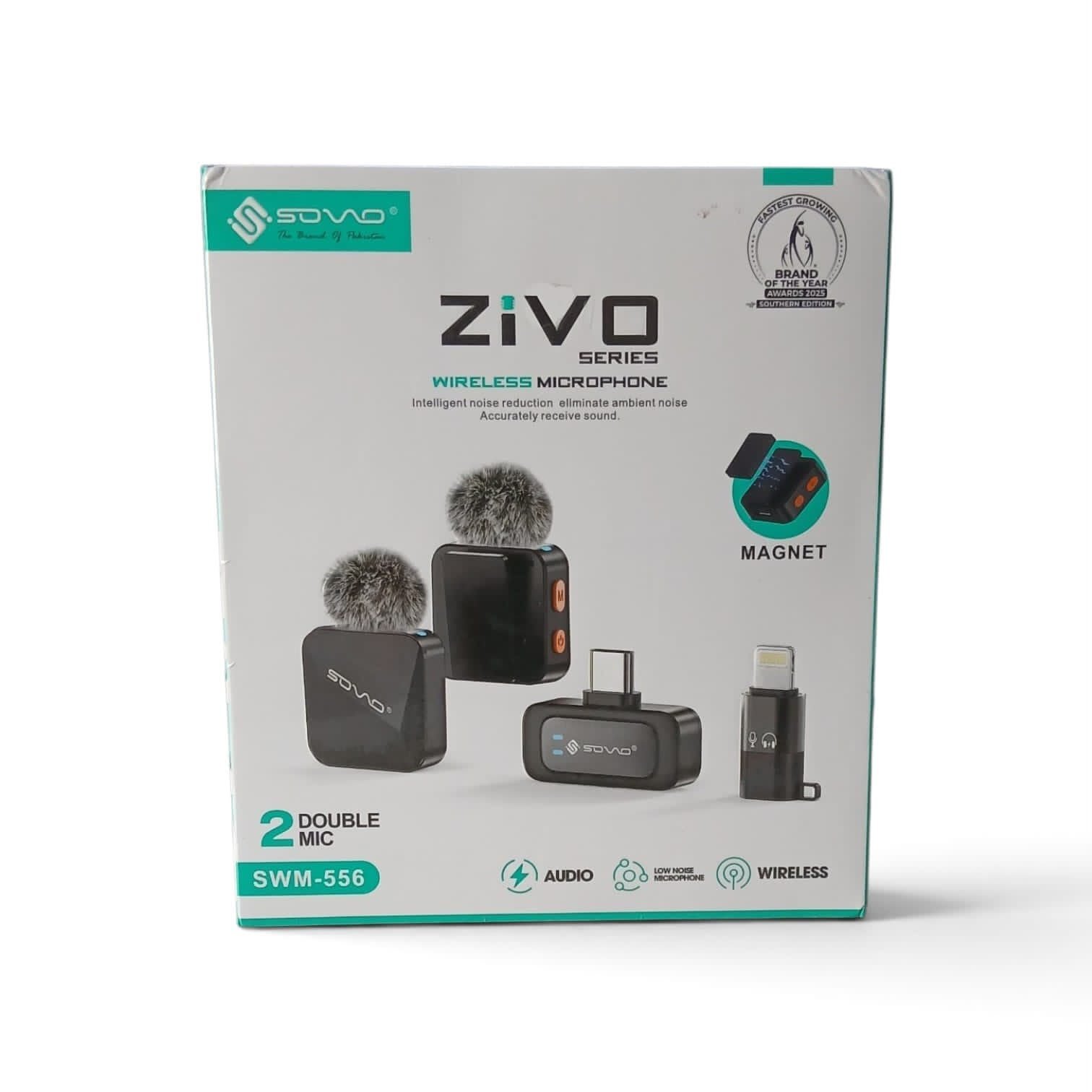
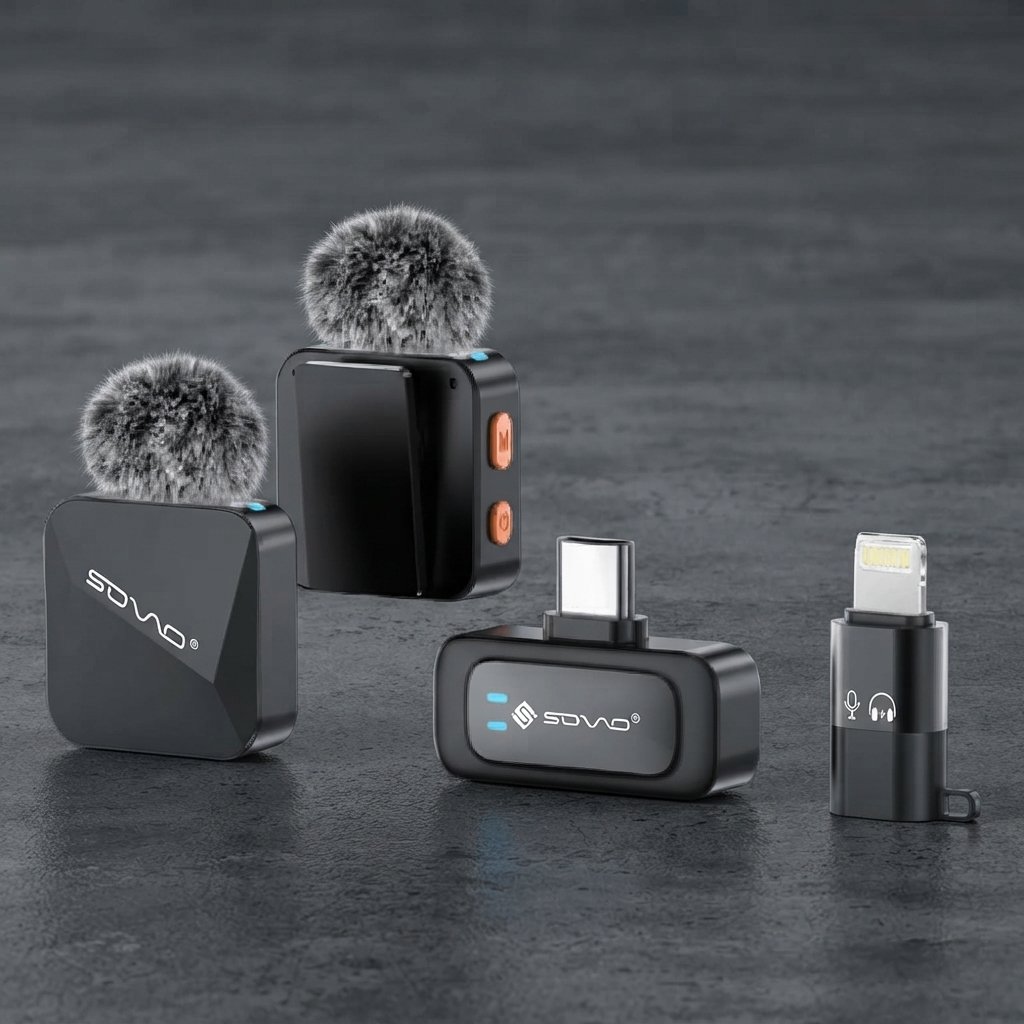
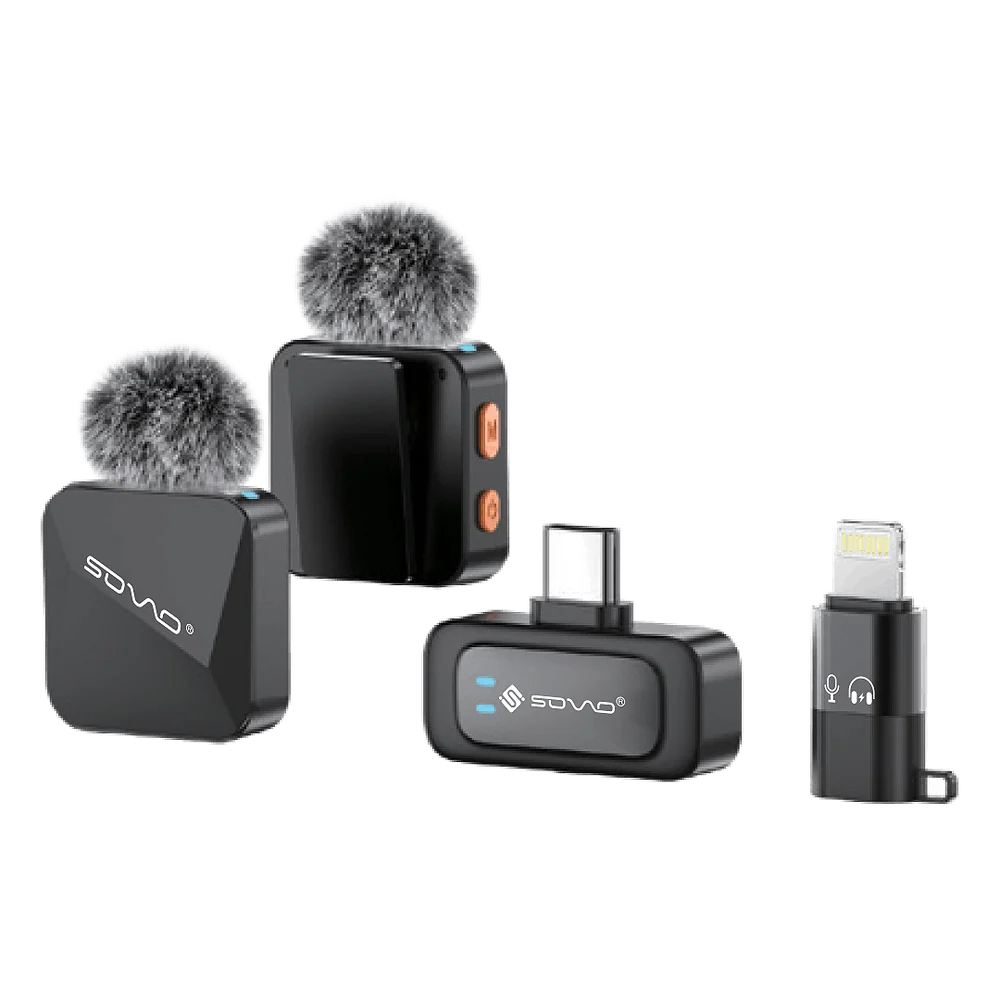
SOVO ZIVO SWM-556 Dual Wireless Microphone Audio Recording System
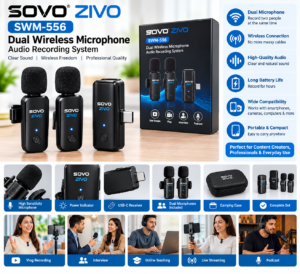
A dual wireless microphone system can be useful when recording conversations between two people, conducting interviews, creating social media videos, or capturing discussions. Its wireless design helps reduce cable clutter and gives users greater freedom of movement during recording.
Whether you are a content creator, presenter, student, or aspiring video producer, this microphone system can be a practical addition to your recording equipment.
What Is the SOVO ZIVO SWM-556 Wireless Microphone System?
The SOVO ZIVO SWM-556 is a dual wireless microphone audio recording system intended for recording voices without the restrictions of a traditional wired microphone setup.
A dual microphone arrangement can make it easier to record two speakers in the same session, depending on the supplied configuration and compatibility of the connected device.
It may be suitable for interviews, podcasts, video projects, online content, and other voice-recording activities. Before purchasing, check the product specifications to confirm the included microphones, receiver type, supported devices, and connection method.
Key Features of the SOVO ZIVO SWM-556
1. Dual Wireless Microphone Setup
The dual-microphone design is useful for situations involving two speakers, such as interviews, conversations, demonstrations, and collaborative videos.
2. Wireless Recording Convenience
A wireless setup can help reduce cable clutter and allow speakers to move more naturally within the system’s supported operating range.
3. Useful for Content Creation
Record voice content for compatible smartphones, cameras, or other supported devices, depending on the receiver and connection options included with the specific model.
4. Suitable for Different Recording Situations
The system may be useful for interviews, presentations, educational content, social media videos, and other voice-focused projects.
5. Practical Audio Accessory
For creators who regularly record spoken content, a dedicated wireless microphone system can provide a convenient alternative to relying entirely on a device’s built-in microphone.
Note: Exact features, wireless range, battery life, audio quality, and connectivity depend on the product version. Verify these details with the supplier before publishing specific technical claims.
Why Choose a Dual Wireless Microphone System?
Recording two people with a single built-in microphone can sometimes make it difficult to capture both voices clearly, particularly when speakers are positioned at different distances from the recording device.
A dual wireless microphone system offers a more flexible setup for recording conversations and collaborative content. With compatible equipment and suitable microphone placement, it can help make voice recording more convenient.
Ideal for:
- Interviews and conversations
- YouTube video creation
- Social media content
- Podcast-style recordings
- Educational videos
- Presentations and demonstrations
- Product reviews
- Two-person video projects
Always confirm that the microphone system supports your intended recording device and application.
Benefits of the SOVO ZIVO SWM-556
Convenient Two-Person Recording
A dual setup is helpful when two people need to speak during the same recording session.
Greater Freedom of Movement
Wireless microphones can make recording more comfortable by reducing the need for long microphone cables.
Flexible Content Creation
Use a compatible setup for interviews, demonstrations, video blogs, and other projects involving spoken audio.
More Organized Recording Setup
A wireless system can help keep your recording area tidy, especially when filming in small spaces or moving between locations.
Useful for Beginners and Creators
People who are starting a video channel or producing regular online content may find a dedicated microphone system useful for developing a more consistent recording workflow.
How to Use a Dual Wireless Microphone System
Follow the instructions supplied with your specific SOVO ZIVO SWM-556 model. In general:
- Check which recording devices are supported.
- Charge the microphones or receiver if required.
- Connect the receiver using the compatible port or adapter.
- Switch on the microphones and receiver according to the manual.
- Confirm that the devices are paired or connected successfully.
- Make a short test recording and check the audio.
- Position the microphones appropriately and begin recording.
For better results, record in a relatively quiet environment and avoid placing microphones too close to rubbing clothing or other sources of noise.
Tips for Better Audio Recording
Even a suitable microphone works best when used correctly. Consider these simple tips:
- Position the microphone at a suitable distance from the speaker’s mouth.
- Avoid noisy locations when possible.
- Check the audio before recording an important video.
- Keep the microphone away from rubbing fabric.
- Monitor audio levels if your recording device supports this feature.
- Keep the receiver and microphones within the supported wireless range.
- Follow the manufacturer’s charging, cleaning, and storage instructions.
These steps can help you achieve more consistent results during everyday recording sessions.
Check Compatibility Before Ordering
Before buying the SOVO ZIVO SWM-556, check the connection type and supported devices. Some wireless microphone systems require a specific receiver or adapter for smartphones, cameras, or computers.
Also verify the number of microphones included, supported operating systems, charging method, battery runtime, and other specifications with your supplier.
Do not assume that every smartphone or camera will work with the system without the appropriate connection.
Final Thoughts
The SOVO ZIVO SWM-556 Dual Wireless Microphone Audio Recording System is a useful option to consider for people who want a wireless setup for interviews, two-person videos, presentations, and other voice-recording projects.
Its dual-microphone design can provide added convenience for collaborative recording, while the wireless arrangement can help keep your setup flexible and organized

Reviews
There are no reviews yet.